The modern professional often finds themselves needing the robust capabilities of a desktop computer in the portable form factor of a laptop. While a high-performance laptop is a powerful tool on its own, truly demanding tasks—like video editing, complex data analysis, or intensive coding sessions performed away from a traditional office setup—require transforming that laptop into a full-fledged, ergonomic workstation. This isn’t just about raw processing power; it’s about creating an environment that mirrors the comfort and efficiency of a permanent desk, yet can be packed up and transported effortlessly. The video above provides an insightful look into building such a setup, showcasing essential accessories that elevate mobile productivity.
For those engaged in a dynamic work lifestyle, where the office might be a co-working space, a client’s location, or a quiet cafe, a meticulously planned portable laptop workstation is indispensable. It combines the flexibility of mobility with the sustained comfort and enhanced screen real estate typically associated with a fixed desktop environment. This article delves deeper into the strategies and specific types of equipment that comprise an optimized mobile setup, going beyond mere product recommendations to explore the underlying principles of ergonomic design, efficient connectivity, and smart organization.
The Core of Your Portable Laptop Workstation: Selecting a Powerful Laptop
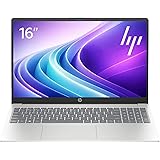
At the heart of any effective mobile workstation is a laptop capable of handling intensive workloads. The Dell XPS 15, as highlighted in the video, exemplifies a popular choice among power users due to its balance of processing prowess and portability. Configurations featuring robust CPUs, such as the Intel Core i7 Kaby Lake mentioned, coupled with dedicated GPUs like the GTX 1050, provide ample horsepower for tasks such as 4K video editing, CAD work, or complex software development.
When selecting your foundational machine, consider not just the raw specifications but also practical aspects for a mobile workflow. Display choices, for instance, play a significant role. While a 4K panel offers incredible pixel density, a 1080p non-touch matte display, as opted for in the video, can be more advantageous for a *portable laptop workstation*. It reduces glare, consumes less battery power, and often comes at a lower cost, allowing investment in other critical accessories. Furthermore, evaluating port selection—considering the balance of USB-A, USB-C (especially with Thunderbolt 3/4 capabilities), and HDMI—is crucial for seamless connectivity with your chosen peripherals.
Expanding Your Digital Horizon: Essential Portable Displays
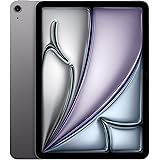
The limited screen real estate of a 15-inch laptop display can be a major bottleneck for advanced workflows. Integrating a second monitor dramatically boosts productivity, allowing users to spread out applications, reference materials, and project timelines without constant window toggling. The Packed Pixels display, noted for using an Apple iPad-quality panel, showcases the high standard now available in portable monitors.
When evaluating portable displays for your setup, several factors warrant consideration. Connectivity is paramount; while older DisplayPort connections like those required by Packed Pixels might need adapters for newer USB-C laptops, many contemporary portable monitors leverage USB-C with DisplayPort Alt Mode for single-cable power and video. Other options include mini-HDMI or even wireless solutions. Panel type (IPS for wide viewing angles), brightness, and anti-glare coatings are also important, especially if working in varied lighting conditions. The mounting mechanism, whether integrated kickstands, magnetic covers, or external brackets like those shown, should ensure stability and ease of setup.
Mastering Ergonomics: Preventing Strain in Your Mobile Office
Long hours spent hunched over a laptop can lead to significant discomfort and repetitive strain injuries. An ergonomic setup is non-negotiable for sustained productivity and health in a *portable laptop workstation*. The video correctly identifies a laptop stand as a fundamental solution, elevating the screen to eye level to improve posture.
Laptop Stands: The Foundation of Good Posture
Products like the Nexstand, or its original inspiration the Roost, demonstrate how simple, collapsible designs can dramatically improve workstation ergonomics. These stands typically unfold to create a stable, elevated platform for your laptop, allowing for adjustable height settings. When choosing a laptop stand, consider its stability, adjustability, and overall footprint when packed. Look for models with robust joints and sufficient rubber padding to protect your laptop and prevent slippage, ensuring your valuable equipment is secure even during intensive typing or mouse movements.
External Input Devices: Precision and Comfort
Once the laptop screen is elevated, external input devices—a keyboard and mouse—become essential. The Logitech K810 keyboard, lauded for its Bluetooth connectivity, multi-device switching, and compact, low-profile design, is an excellent example of a peripheral optimized for mobile use. For a *portable laptop workstation*, wireless connectivity is key, minimizing cable clutter and setup time. Consider keyboards with satisfying key travel, backlighting for varied environments, and a compact layout that doesn’t sacrifice essential functions.
Similarly, an external mouse is far superior to a laptop’s trackpad for intensive tasks requiring precision, such as graphic design or video editing. While the Logitech G602 in the video requires a USB dongle, many modern mice offer Bluetooth connectivity, freeing up valuable USB ports. Prioritize an ergonomic design that fits comfortably in your hand, along with programmable buttons for macro functions to streamline your workflow.
Cultivating Focus: The Role of Noise-Canceling Headphones
Working remotely often means contending with unpredictable ambient noise, from bustling cafes to chatty co-workers. Active noise-canceling (ANC) headphones, like the Bose QC 25 paired with an AirMods Bluetooth attachment, are invaluable for creating a personal zone of concentration. ANC technology effectively neutralizes low-frequency background hums, allowing you to immerse yourself in your work without distraction.
Beyond noise cancellation, consider the comfort of over-ear designs for long wearing periods, the quality of audio for both music and conference calls, and the convenience of wireless connectivity. Features like multi-point Bluetooth pairing, allowing seamless switching between your laptop and phone, further enhance their utility for a comprehensive *portable laptop workstation* setup.
The Ultimate Mobile Command Center: Thoughtful Backpack Selection
All the sophisticated gear in the world is pointless if it cannot be safely and efficiently transported. The eBags Professional Slim backpack, highlighted for its intelligent compartment design, underscores the importance of a purpose-built tech backpack. This isn’t just about carrying items; it’s about systematic organization that protects equipment, minimizes bulk, and ensures quick access to what you need.
A superior tech backpack for a *portable laptop workstation* will feature dedicated, padded compartments for your laptop and external display, often with anti-theft designs. Hard-shell bottom compartments offer crucial protection for chargers, mice, or sensitive electronics. Look for well-thought-out pockets for cables, headphones, and other accessories, ensuring everything has its place and remains secure during transit. Water-resistant materials, comfortable straps, and a balanced weight distribution are also critical for day-long portability and protection of your valuable mobile office.
Level Up Your Laptop Battlestation: Q&A
What is a portable laptop workstation?
A portable laptop workstation transforms your regular laptop into an ergonomic and efficient setup, similar to a desktop, but designed to be easily packed up and moved. It allows professionals to handle demanding tasks and maintain comfort while working from various locations.
Why should I use a portable laptop workstation?
It helps you perform intensive tasks like video editing or coding with the comfort and efficiency of a fixed desk, even when you’re on the go. This setup boosts productivity and helps prevent discomfort from long hours of work.
What are some essential accessories for a portable laptop workstation?
Key accessories include a portable second monitor for more screen space, a laptop stand for better posture, and external input devices like a keyboard and mouse for comfort and precision. Noise-canceling headphones and a specialized backpack are also very useful.
Why is a laptop stand important for a portable setup?
A laptop stand elevates your laptop screen to eye level, which significantly improves your posture and helps prevent neck and back strain during long work sessions. It’s a fundamental step for creating an ergonomic mobile office.
Why would I need a second monitor for my portable setup?
A second monitor dramatically increases your available screen space, which is great for productivity. It allows you to view multiple applications, reference materials, or timelines simultaneously without constantly switching windows.