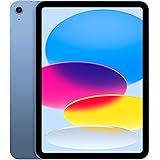
Upon acquiring a new iPad, discerning users frequently seek to augment their device’s capabilities and ensure its longevity through carefully selected peripherals. The accompanying video offers a concise overview of several compelling iPad accessories designed to enhance both productivity and protection. This supplementary article aims to delve deeper into these essential enhancements, providing an expert analysis of their features, benefits, and strategic deployment within various professional and creative workflows.
Optimizing iPad Functionality with Advanced Accessories
The contemporary iPad, while robust in its native form, achieves its full potential when integrated with an ecosystem of well-engineered accessories. These supplementary tools are not mere conveniences; they represent critical components for transforming a versatile tablet into a formidable workstation or an expansive creative canvas. The selections highlighted in the video exemplify innovation, offering alternatives to first-party options while often surpassing them in specific functionalities or value propositions.
Precision Input: The Enhanced Digital Stylus
For artists, designers, and meticulous note-takers, a digital stylus is an indispensable instrument. While Apple’s proprietary Pencil remains a benchmark, third-party alternatives, such as the ESR Digital Pencil mentioned in the video, often present a compelling value proposition. These styluses are engineered to replicate the core functionalities expected of a premium digital writing tool, including tilt sensitivity and palm rejection, ensuring an uninterrupted and natural creative flow.
A notable advancement in certain third-party styluses is the integration of additional programmable buttons. Imagine if a single button could instantly switch between a pen and an eraser, or serve as a home button, significantly streamlining the workflow and reducing the need for on-screen menu navigation. Furthermore, the inclusion of a tracking mechanism, often leveraging Apple’s Find My network, addresses a common pain point: the inadvertent misplacement of a crucial tool. The reported 12 hours of usage from a mere 30-minute charge underscores efficiency, although the absence of wireless charging is a consideration for some users.
Fortifying Your Investment: Superior Screen & Case Protection
Given the iPad’s role as a central device for many, safeguarding its pristine condition is paramount. The display, being the primary interface, warrants robust protection. Advanced screen protectors are now designed not only to resist scratches and impacts but also to facilitate an effortless, bubble-free installation process through precision-engineered alignment trays. This ensures an exact fit that accommodates subsequent case installations without interference, a critical detail often overlooked.
Complementing screen protection, a high-quality case offers comprehensive defense against daily wear and tear. The video showcases magnetic cases, exemplified by the ESR Flip Magnetic Case, which blend slim profiles with formidable protective capabilities. These cases often incorporate multi-angle viewing stands, including surprisingly useful vertical orientations, which are not universally offered. Such versatility is invaluable for diverse tasks, from collaborative document review to media consumption, preventing cumulative strain during prolonged usage.
Elevating Productivity: The Detachable Keyboard Solution
For professionals who routinely engage in extensive typing, a physical keyboard transforms the iPad into a highly capable ultraportable computer. The Rebound Magnetic Keyboard, as demonstrated, offers a tactile and responsive typing experience, characterized by satisfying key feedback. A significant design advantage lies in its detachable case functionality, which permits the keyboard to be removed when not required, thereby reducing bulk and weight.
The robust hinge mechanism found in such keyboards is crucial, maintaining screen stability at various angles, a testament to durable engineering. Beyond fundamental typing, features like integrated pencil storage, RGB backlighting for low-light conditions, and a soft-touch finish collectively contribute to a premium user experience. The potential for substantial cost savings—reportedly over 50% compared to Apple’s first-party keyboard—makes these alternatives particularly attractive for budget-conscious power users seeking uncompromised performance.
Enhanced Portability and Organization: The Sling Bag Advantage
Transporting an iPad and its essential accessories necessitates a carrying solution that offers both protection and efficient organization. Modern sling bags, or fanny packs as colloquially referenced, are engineered with dedicated, soft-lined compartments capable of accommodating larger tablets, such as the 13-inch iPad, albeit sometimes snugly. Smaller iPad models are typically housed with ample additional space for auxiliary devices.
Key design considerations include semi-sealed zippers for moderate weather resistance, a multitude of internal and external pockets, sleeves, and stretchy compartments for meticulous organization of chargers, styluses, and personal items. Mounting points on the exterior provide quick access to frequently used small items. The ergonomic design, often featuring padded straps and swivel clips, ensures comfortable wear tailored to the body’s contours, whether worn as a messenger bag or high and tight against the torso. This focus on accessibility and comfort is paramount for users who are frequently mobile.
Versatile Viewing: The Adjustable iPad Stand
Static viewing angles often lead to suboptimal ergonomics, diminishing comfort during extended iPad usage. An adjustable stand, such as the one highlighted, provides a dynamic solution. The underlying principle of its stability lies in a heavily weighted baseplate that effectively counter-balances the iPad, permitting height adjustments up to approximately 5 feet and a wide range of viewing angles without compromising security.
While some minimal sway may be present in slender designs, the metal construction provides reassurance regarding its durability and ability to withstand constant adjustments. A significant advantage of such stands is their capacity for dual functionality: serving as a tall floor stand and also collapsing to a tabletop level. This eliminates the necessity of acquiring multiple stands for different environments, streamlining a user’s setup. The ability to fold flat for compact storage further underscores its practical design, making it an ideal companion for various settings, from a home office to a creative studio.
Ergonomic Comfort: The Stylus Grip Solution
For individuals who engage in prolonged drawing, writing, or intricate editing with a digital stylus, finger cramps represent a common and debilitating issue. The Nimble Grip 2, as referenced, addresses this by providing an ergonomic solution akin to traditional pencil grips. Crafted from a single piece of rubber, these grips increase the stylus’s girth, offering a more comfortable hold that mitigates discomfort.
A crucial design feature is the integrated cut-out, which ensures that the grip does not obstruct the magnetic docking or charging capabilities of the stylus on the iPad. This allows for continuous use without the inconvenience of removal and reattachment. Despite its seemingly simple nature, the enhanced comfort afforded by such a grip can significantly extend productive work sessions, justifying the modest investment for dedicated stylus users.
Streamlined Power Delivery: The Retractable 65W Charger
Efficient and portable charging solutions are fundamental to maintaining device uptime. The Sharge Retractable 65-watt brick is presented as an exemplar of integrated design, featuring a built-in, retractable cable. This eliminates the perennial problem of forgotten or tangled cables, offering a self-contained power solution that is both practical and aesthetically refined.
The charger’s design often includes foldable prongs, contributing to a flush, compact form factor when not in use. A clear casing, as mentioned, can add a unique visual appeal, blending modern aesthetics with a nod to retro-tech. Delivering 65 watts, this charger possesses sufficient power to rapidly charge not only an iPad but also smartphones and even many laptops, demonstrating remarkable versatility. The inclusion of an additional USB-C port further enhances its utility, allowing for simultaneous charging of multiple devices and reducing the overall carry load for tech-savvy individuals.
Ultimate Connectivity: The 8-in-1 USB-C Hub
The iPad’s singular USB-C port, while powerful, often necessitates expansion for professional workflows. An 8-in-1 hub, such as the Anker model detailed in the video, serves as a comprehensive docking station, unlocking a multitude of connectivity options. These hubs are meticulously engineered for robust build quality, ensuring reliable performance under demanding conditions.
Typical integrated ports include SD and microSD card readers, facilitating direct transfer and editing of camera footage on the iPad—an invaluable feature for photographers and videographers. Dual 5 gigabit per second USB-A ports support external storage or peripherals without noticeable performance degradation. Crucially, a well-designed hub often incorporates a stable stand, allowing the iPad to be positioned ergonomically for various tasks. An HDMI port, positioned discreetly, enables external display connectivity, transforming the iPad into a central node for presentations or multi-monitor setups. The durable metal construction and rubber lining ensure the iPad remains scratch-free, while the ability to fold flat makes it an indispensable tool for productive work on the go.
Maximizing Your iPad Experience: Q&A
What are iPad accessories used for?
iPad accessories help you get more out of your device by adding new features, improving its capabilities, and protecting it from damage. They can transform your iPad into a powerful workstation or a versatile creative tool.
Why would I need a digital stylus for my iPad?
A digital stylus is useful for tasks requiring precision, such as drawing, designing, or taking detailed handwritten notes. It offers a more natural and accurate way to interact with your iPad’s screen.
How can I protect my iPad screen and body?
You can protect your iPad by using a durable screen protector to guard against scratches and impacts. A high-quality case also provides comprehensive defense against daily wear and tear and often includes a stand for versatile viewing.
Can I use a physical keyboard with my iPad for typing?
Yes, you can use a detachable keyboard specifically designed for the iPad to make typing much easier and faster. These accessories can turn your iPad into a highly capable ultraportable computer for extensive writing tasks.
What is a USB-C hub and why would I need one for my iPad?
A USB-C hub expands your iPad’s single port into multiple connections, allowing you to connect things like memory cards, external drives, or even an external display. This helps you use more peripherals and transfer data easily.